Use SpendQuery in Claude and ChatGPT
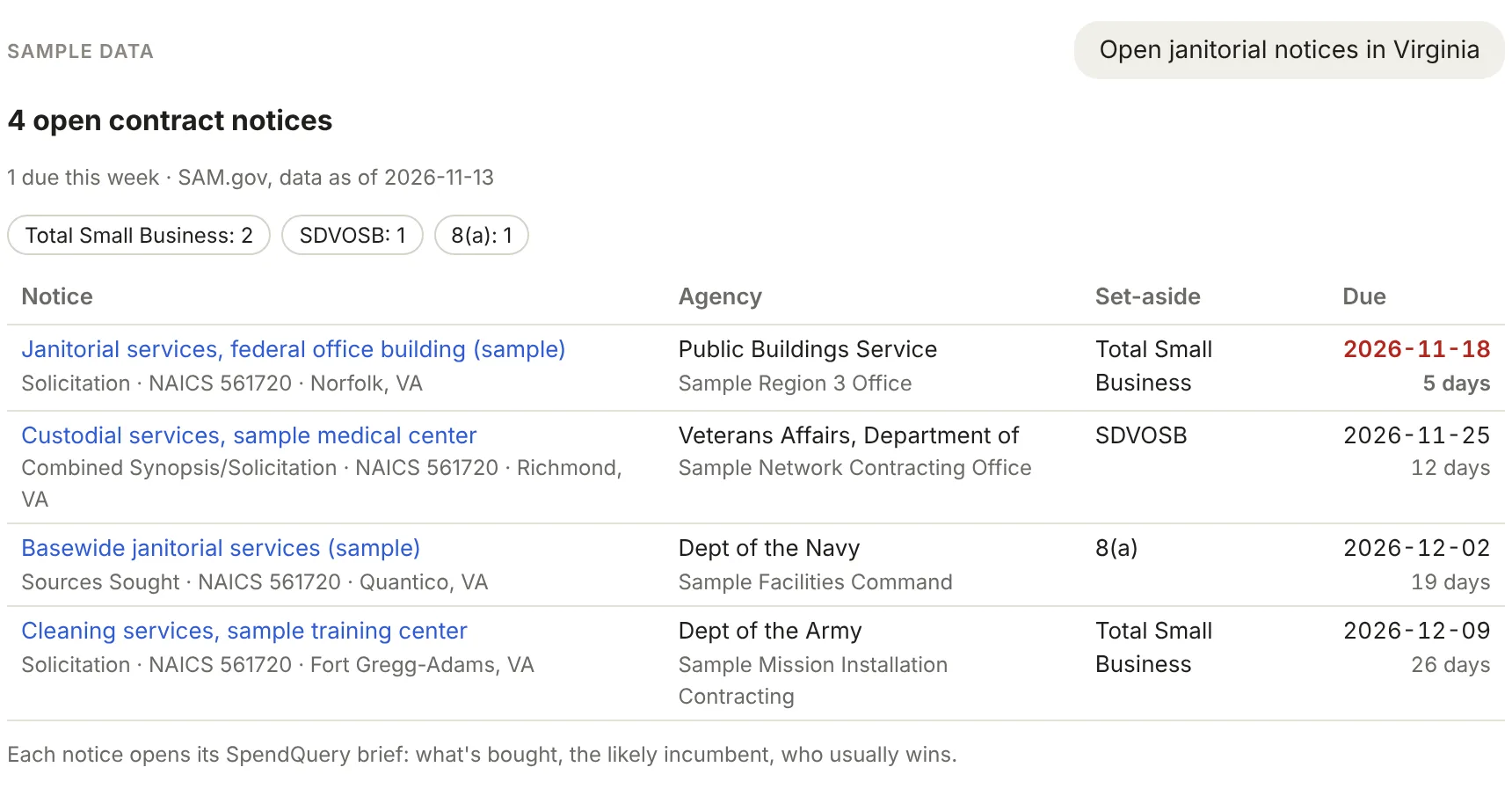
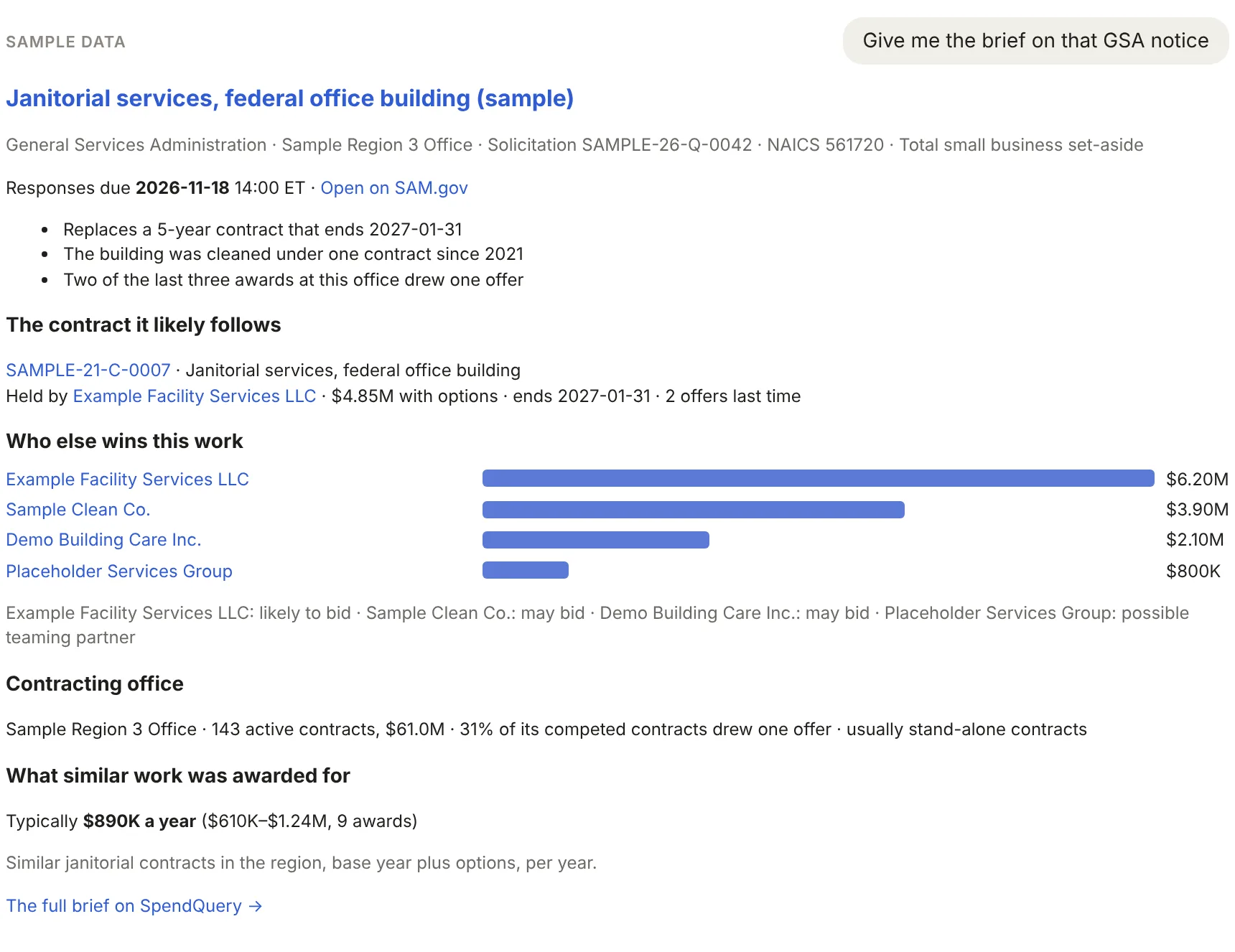
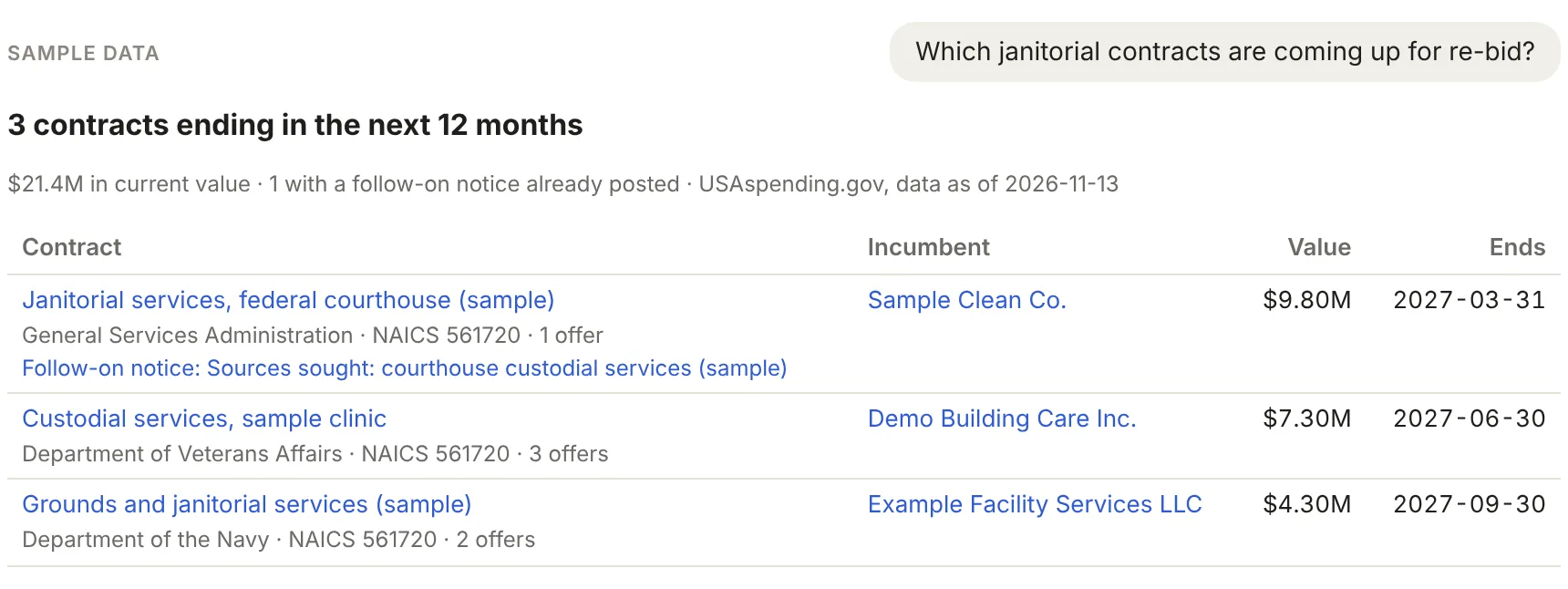
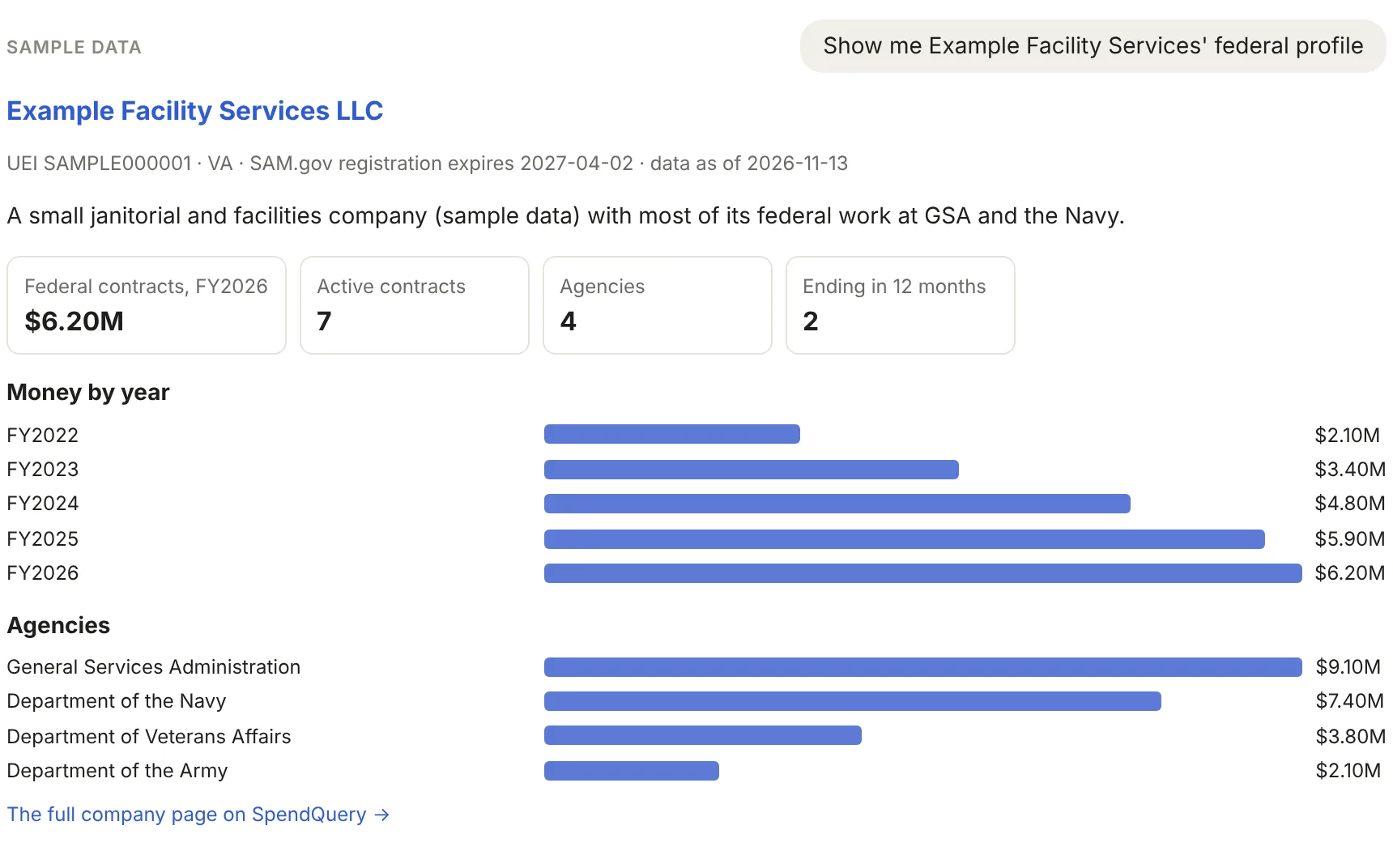
Ask about federal contracts in the AI assistant you already use. SpendQuery's connector gives it the open SAM.gov notices, award records, re-bids, companies and the FAR, and the answers come back as tables and charts in the chat, each linked to its page here.
Connect it
Free: SpendQuery's public data
No sign-in. Read-only, 600 calls a day per network address.
- In Claude: the Connectors settings → Add custom connector. In ChatGPT: the apps and connectors settings, where your plan allows a custom connector.
- Name it SpendQuery and paste
https://api.spendquery.com/mcp - Turn it on in a chat and ask away.
Your account: alerts, pursuits, your company
Everything the free connector does, plus your own SpendQuery account, after you sign in and allow it.
- Add another custom connector with
https://api.spendquery.com/mcp/account - Press Connect: SpendQuery asks you to sign in and shows what the assistant may do. Press Allow.
- Ask "What are my SpendQuery alerts?" or "Show my pursuits".
Disconnect any time on your desk (Connected assistants).
What the answers look like
Screens drawn from sample data: the companies, notices and contract numbers are made up. In the chat they use your assistant's own colours and fonts.
Alerts from the chat
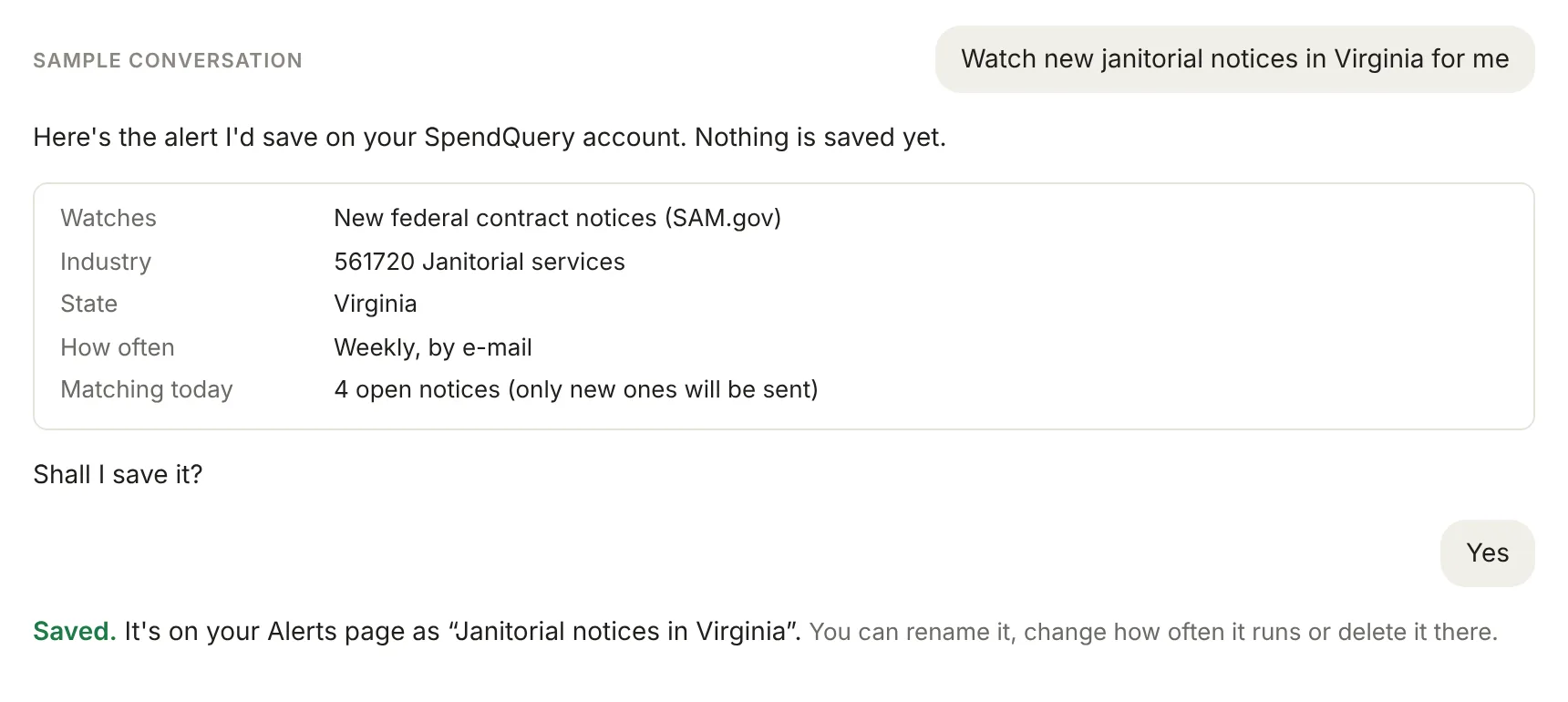
With your account connected, ask the assistant to watch something. It shows you the alert first and saves it only when you say yes; new items then come by e-mail and on your Alerts page.
Things to ask
Find work
- Open janitorial notices in Virginia, due in the next 30 days
- SDVOSB construction solicitations within 50 miles of 23230
- Sources sought for cybersecurity at DHS posted this week
Size up a notice
- Give me the brief on notice <id>: who holds it now and what it was worth
- Should I bid on this? Write a bid / no-bid memo
- What did similar work go for, per year?
Re-bids and competitors
- Which IT contracts at the VA end in the next 6 months, and who holds them?
- What's new with <a competitor>: new awards and contracts ending
- Who does HVAC work as a prime in Virginia, and who are their subcontractors?
Markets and money
- FY2026 federal spending in each of California's congressional districts
- Top agencies buying NAICS 561720, last three years
- Typical award size and GSA labor rates for help desk work
State and local, rules
- Where do I bid for Ventura County and the City of Ventura?
- What does FAR 52.219-14 say about limits on subcontracting?
- Open Grants.gov opportunities for nonprofits on workforce training
Ready-made steps for longer jobs come as prompts (slash commands in Claude Desktop): a bid / no-bid memo on one notice, the open work a company qualifies for, a FAR Part 10 market research report, and a sources-sought reply with your past work left as placeholders. The same jobs as skills to add to Claude, and recipes to schedule.
What it can and can't do
- Every number comes from the records: USAspending.gov awards, SAM.gov notices and registrations, Grants.gov, SBIR.gov, state and local open data, the FAR. Amounts are obligations (money committed). Each answer links its page here so you can check it.
- No AI on our side. Your assistant plans the question; SpendQuery runs it read-only, within a time limit.
- Your account stays yours. The free connector never sees it. The account connector reads your alerts, pursuits and company; it can add an alert, add a pursuit to your desk or move one to another stage, each only after it shows you the change and you say yes. It can't delete your pursuits or alerts, see your API keys or act on SAM.gov.
- Limits. Calls are counted per day; Defense contract data publishes about 90 days late; a search that finds nothing isn't proof there's nothing.
Building with it? The tool list, the data API and API keys are on the developer page. Questions or a tool you'd like: tell us.